
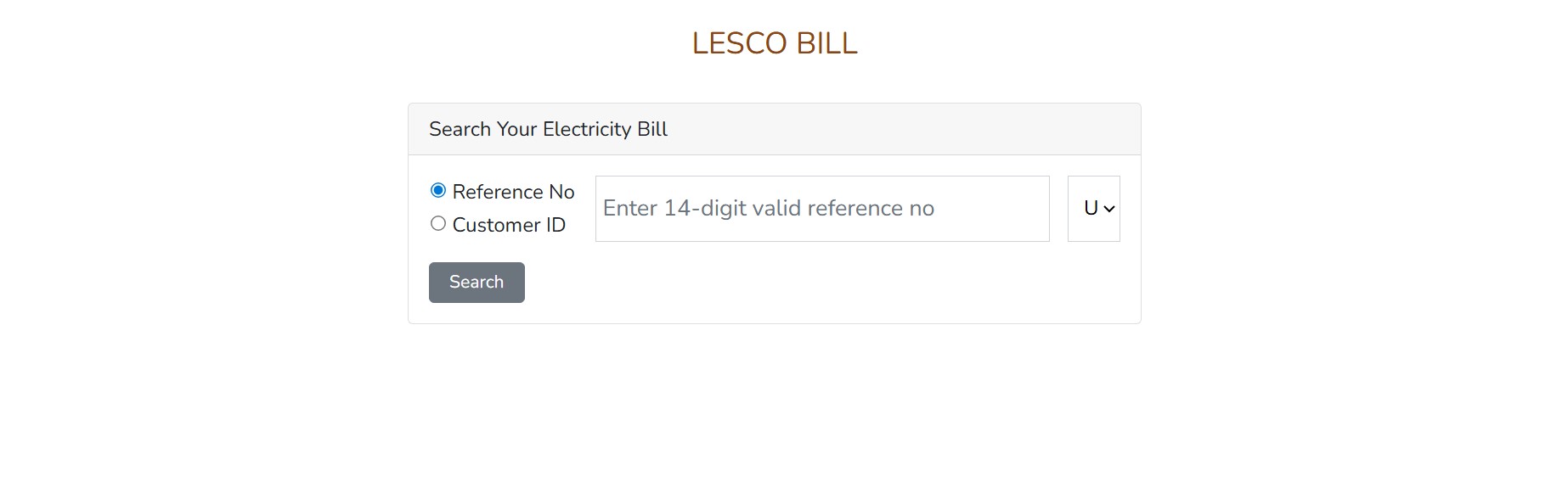
lesco online bill and fesco bill check online
Table of Contents
Introduction
If you’re tired of waiting for paper bills or paying surprise late fees, this guide is for you. I’ll walk you through exactly how to check lesco online bill and fesco bill check online free in Pakistan, how to read the numbers, how recent NEPRA adjustments may affect your unit price, and every working payment option (JazzCash, Easypaisa, bank apps, and more). This is a practical, step-by-step, SEO-friendly walkthrough you can use right now.
Why checking your electricity bill online matters
Paying attention to your electricity bill through an online check saves time and money. You’ll catch billing errors early, avoid LPS (late payment surcharge), and keep a digital record for refunds, complaints, or documentation.
- No more lost paper bills.
- Instant proof for payments (screenshots/PDF).
- Faster dispute resolution if you spot a meter mistake.
Quick glossary: Reference Number, Customer ID, CNIC, Units
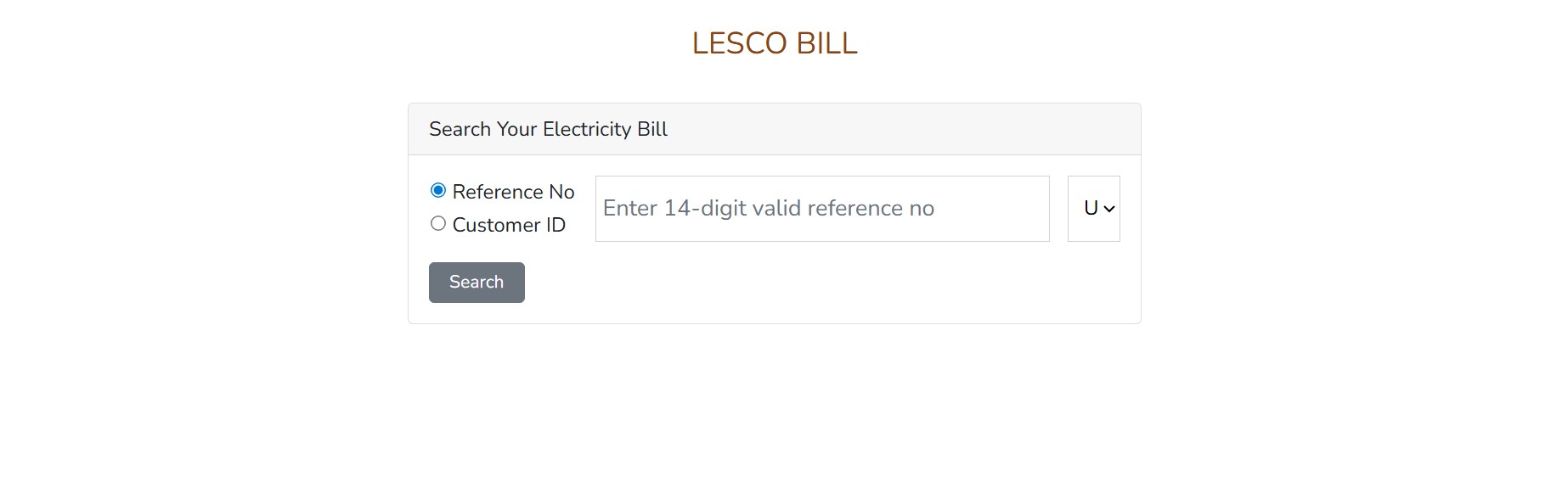
- Reference Number: 14-digit code printed on your bill (the quickest way to fetch your duplicate bill).
- Customer ID: a shorter unique identifier assigned by the DISCO (sometimes easier to remember).
- CNIC: National ID — DISCOs rarely provide full bill lookup by CNIC for privacy reasons (some services allow registration).
- Units: kilowatt-hours (kWh) consumed — the core number that drives your bill.
How to check LESCO online bill (step-by-step)
Via LESCO official website (best method)
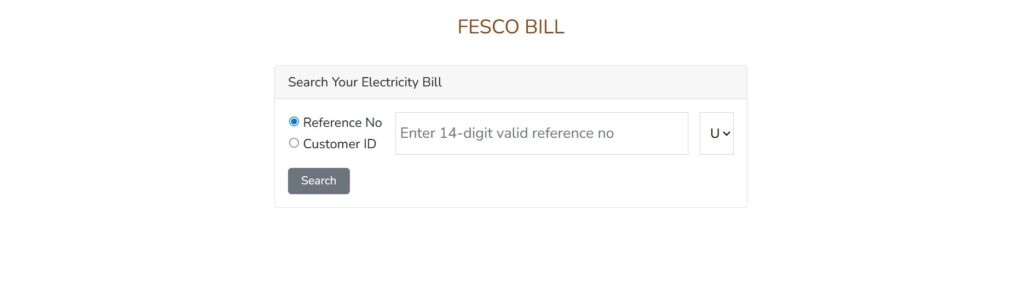
- Open LESCO’s bill check page and look for the “Check Bill” or “Online Bill Check” tool (LESCO’s official portal provides duplicate bill generation free of charge). (LESCO Online Bill)
- Enter your Reference Number or Customer ID (Customer ID is often simpler).
- Click Submit / Check Bill. Your latest month’s bill (amount, due date, units) will show; you can print or save as PDF.
- If required, use the “Print” → “Save as PDF” to store a copy.
Why use the official portal? It’s free, direct, and the PDF is accepted at bank counters and payment kiosks. (LESCO Online Bill)
Using bank portals / mobile banking
Many Pakistani banks include a Utility Bills section in their mobile apps — add LESCO as a payee, input reference/customer ID, the bill will be fetched and you can pay instantly (no card details needed). If you prefer bank security and transaction history, this is ideal. (Most banks support LESCO in their utility lists.)
Via mobile wallet apps (JazzCash / Easypaisa)
Both major wallets let you scan or enter your bill reference to fetch and pay bills. JazzCash has a “Scan bill barcode” and a “Pay Bills” flow that fetches bill details before payment, and Easypaisa offers a similar Bill Payments flow — both make it fast and widely available across Pakistan. (JazzCash)
Common troubleshooting if bill not found
- Recheck the 14-digit reference number (no spaces).
- Try Customer ID if reference fails.
- If the bill is newly issued, the portal may take a few hours to show it — try later.
- For persistent failure, contact the LESCO helpline or visit the nearest revenue office.
How to check FESCO bill online (step-by-step)
FESCO official portal & PITC portal
FESCO consumers can check and download duplicate bills via FESCO’s official website or the centralized PITC billing portal that hosts DISCO bill utilities. Enter the 14-digit reference number (or customer ID) and view/print the bill. The official FESCO site (and PITC) remain the recommended starting point for authentic bills. (old.fesco.com.pk)
SMS and other fast options
Some DISCOs support SMS retrieval (send reference or short code to the DISCO’s SMS service). Availability varies — check FESCO’s website or helpline for current SMS codes.
Third-party bill checkers — pros & cons
Third-party sites (many exist) let you check bills quickly — but use them cautiously. Always verify the fetched bill against the official portal, and avoid giving full payment/credit information to unfamiliar sites.
Reading your bill: what each line means
Understanding your bill helps you spot errors:
Units consumed and unit rates
- The single most important number is units (kWh) used. Multiply units by per-unit rate (varies by slab) to get the variable charge.
Fixed charges, taxes, PTV, fuel adjustment (FCA) & LPS
- Fixed/Connection charges: monthly fixed cost depending on connection type.
- FCA (Fuel Cost Adjustment): periodic, NEPRA-driven adjustment (can be positive or negative).
- PTV/Regulatory fees and taxes: small monthly levies such as the PTV fee.
- LPS (Late Payment Surcharge): applied if you miss the due date.
How government adjustments (NEPRA) affect your bill
NEPRA issues quarterly/periodic adjustments (positive or negative) that change the effective per-unit cost across all DISCOs — these are reflected in the monthly bills under the adjustment/FCA lines. See the NEPRA decision below for the latest example.
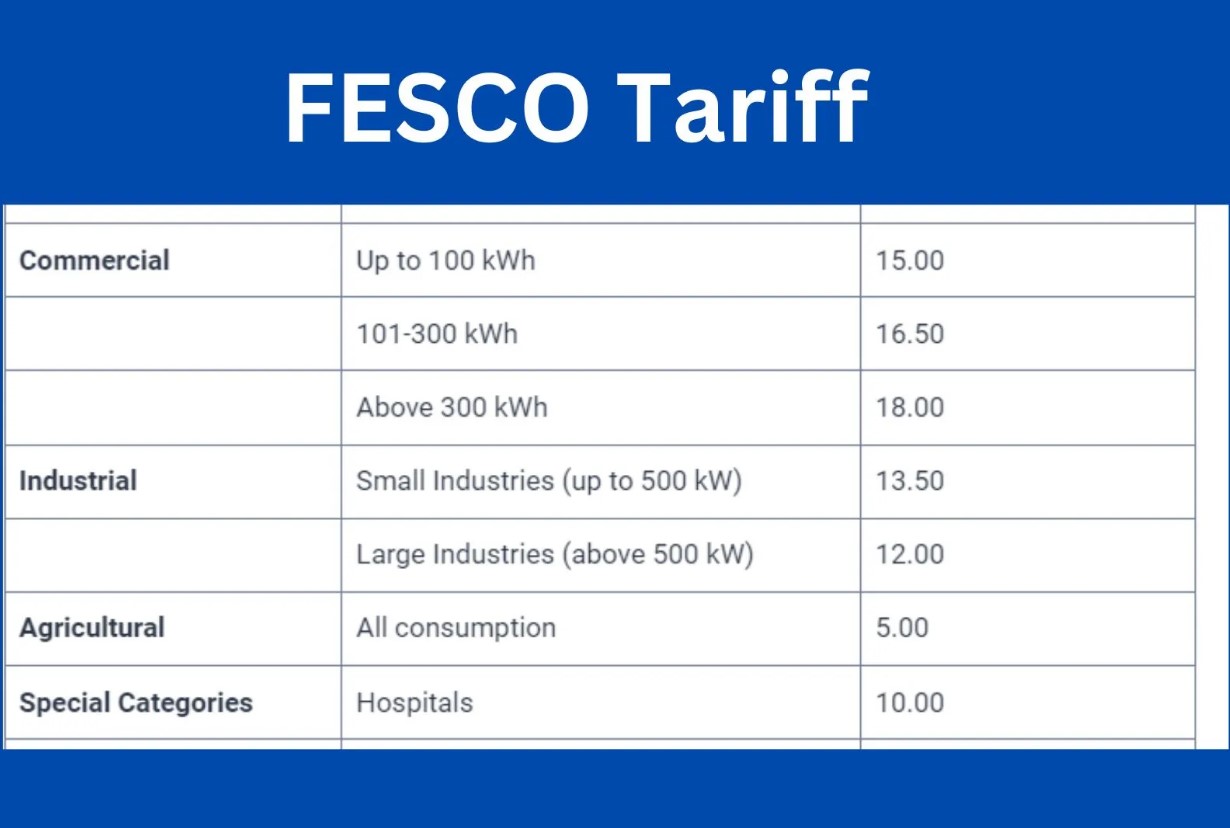
Latest tariff note & sample unit price table
Important: Tariffs change through NEPRA determinations and government notifications. Always confirm your DISCO’s rate via the official portal or NEPRA.
Recent NEPRA decision (example): NEPRA allowed a negative quarterly adjustment of -Rs. 1.8881/kWh for the period August–October 2025, which reduces billed per-unit cost for almost all consumers (except lifeline and prepaid customers). This was part of the 4th quarter periodic adjustment for FY 2024-25.
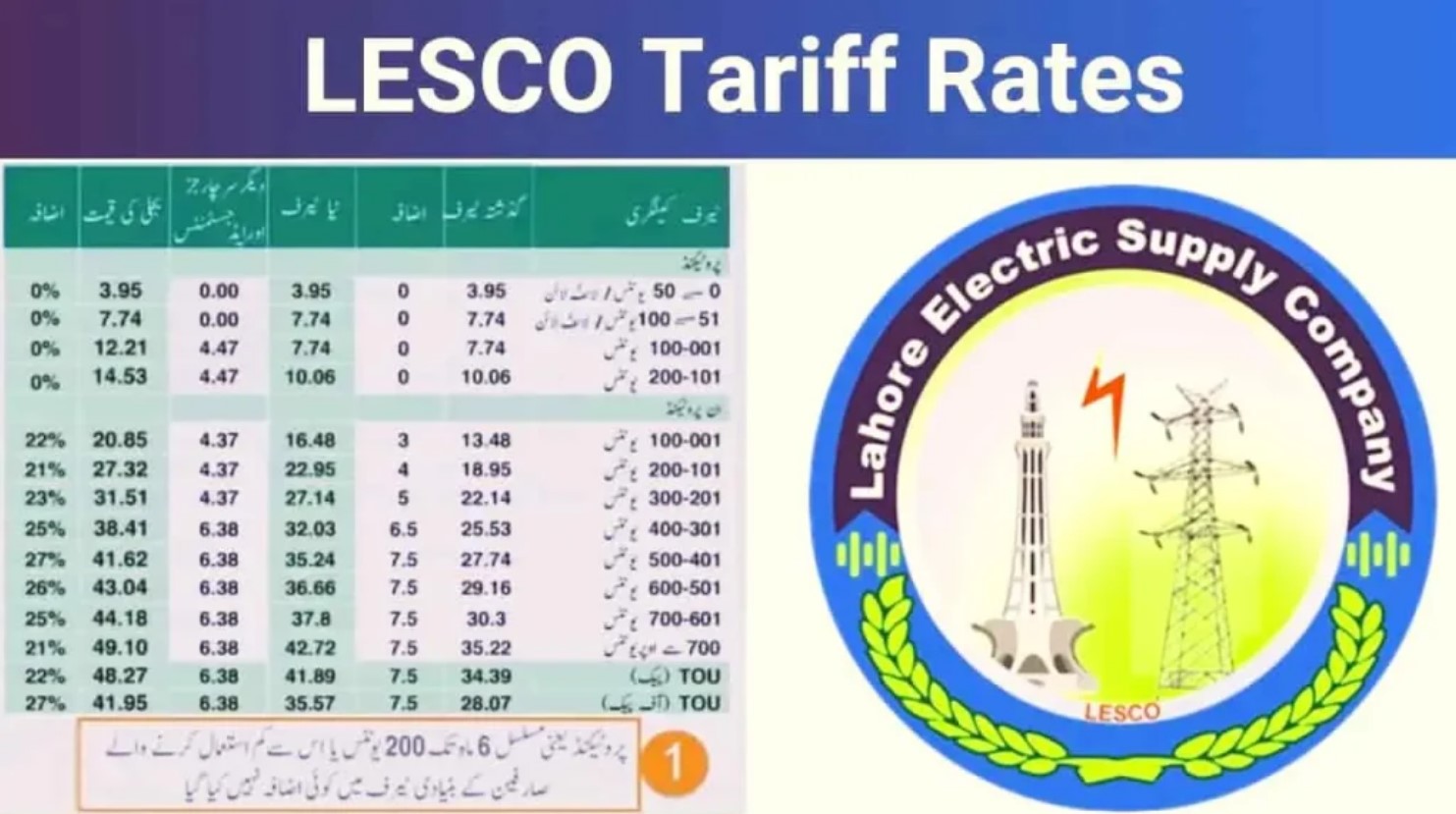
Sample — quick reference table (use as guide; confirm your DISCO rate):
| Item | Value / Note |
| Latest NEPRA quarterly FCA (Aug–Oct 2025) | -Rs. 1.8881 per kWh (uniform negative adjustment). |
| National average tariff (approx. FY25/26) | ~Rs. 34 per unit (national average — varies by slab/DISCO). (Dawn) |
| Lifeline slab (example) | Up to 50 units — heavily subsidized (example: low single-digit rupees unit cost for lifeline). Check NEPRA/DISCO for exact slab pricing. |
| How FCA shows on bill | Appears as a separate line (positive = surcharge, negative = relief). |
Note: The exact per-slab rates (0–50, 51–100, 101–200, etc.) are set in NEPRA determinations and applied uniformly with some targeted subsidies; check NEPRA/DISCO PDFs for full slab breakdown.
Example: calculate a sample LESCO/FESCO bill (step by step)
Let’s run a short example to make this concrete.
You used 350 units in a billing month. Suppose (example) your average variable charge (after subsidies/FCA) is Rs. 32.00 per unit (this is for illustration — use your own per-unit values from the bill).
- Variable charge = 350 × 32.00 = Rs. 11,200
- Fixed/connection charge = Rs. 150 (example)
- Taxes & levies (GST, PTV) = Rs. 200 (example)
- FCA (e.g., NEPRA negative adjustment) = -Rs. 1.8881 × 350 = -Rs. 660 (relief)
Total = 11,200 + 150 + 200 – 660 = Rs. 10,890 (example only — use your actual slab rates). Save the bill PDF for record.
How to pay LESCO & FESCO bills online — full list of options
You have many safe payment choices — pick what fits your comfort level.
1) Mobile wallets: JazzCash & Easypaisa
- JazzCash: Open the app → Bill Payments → select LESCO/FESCO → enter reference → fetch bill → pay. JazzCash offers barcode scanning for faster entry. (JazzCash)
- Easypaisa: Open Easypaisa → Bill Payments → choose utility → enter reference/customer ID → confirm payment. Both services keep receipts and transaction IDs for proof. (Home easypaisa)
Tips: Save your reference number in the app to pay future bills in seconds. Keep screenshots/PDF receipts.
2) Internet banking & bank mobile apps
Almost all retail banks in Pakistan support utility bill payments (LESCO/FESCO). Login → Bill Payments → Add Beneficiary or Quick Pay → input reference → confirm. Bank payments are widely trusted for refunds & reconciliation.
3) Payment kiosks, franchisees & ATMs
You can also pay at bank branches, ATMs that accept bill payments, NADRA eSahulat franchises, and other authorized kiosks. Always take a receipt.
4) Online via DISCO / PITC portals
Some DISCOs or PITC portals support online card payments (may require registration). If paying by card, ensure the portal is secure (padlock icon / https) and keep the transaction ID.
Safety tips: avoid scams & fake bill sites
- Always start from the official DISCO website or major apps (JazzCash, Easypaisa, your bank). (LESCO Online Bill)
- Don’t give card details to unknown websites. Look for https:// and a padlock.
- If a third-party asks for extra fees to generate a duplicate bill, double-check—official portals are usually free.
- Keep receipts (screenshots or PDF) until the next bill cycle.
Save money: simple ways to lower your monthly bill
- Replace old bulbs with LED bulbs.
- Use energy-efficient appliances (look for star ratings).
- Avoid using high-power appliances simultaneously (spread heavy loads).
- Regularly check for faulty meters or phantom loads (appliances drawing power when off).
- If you have solar or net metering, ensure credits are properly applied.
Frequently occurring problems & how to solve them
- Overbilling / suspiciously high bill: Check meter reading on bill vs. actual meter reading; save photos of your meter; raise a complaint with DISCO and provide evidence.
- Bill not received: Fetch duplicate from official portal and pay online to avoid LPS. (LESCO Online Bill)
- Payment not updated: Wait 24–48 hours, then show your transaction ID to the DISCO revenue office if not credited.
Contact points: LESCO & FESCO helplines and complaint routes
- LESCO official website — primary portal to check bills and contact for issues. Use the website’s contact/complaint area or helpline for escalations. (LESCO Online Bill)
- FESCO official site / PITC portal — check bill, report issues or find helpline numbers. Many DISCOs list a centralized complaint number and local revenue office contacts. (old.fesco.com.pk)
SEO & publishing tips for site owners (if you run a utility blog)
- Use clear keyword focus: “lesco online bill” (main), variations like “LESCO duplicate bill”, “check LESCO bill online by reference number”, “FESCO bill check online”.
- Put the primary keyword in the title, first paragraph, H2s where natural, and meta description. (Don’t stuff.)
- Offer tools: a small bill calculator or a how-to screenshot set increases dwell time and lowers bounce rate.
- Update tariff tables when NEPRA announces changes — search NEPRA and cite the decision (NEPRA PDFs are authoritative).
Conclusion
Checking and paying your lesco online bill or fesco bill online is quick, secure, and saves money when you use official channels and the big mobile wallets. Start with the official DISCO portal to fetch a duplicate bill (LESCO / FESCO), confirm unit charges, and then pay via your preferred secure channel (bank app, Easypaisa, JazzCash). Keep receipts and monitor NEPRA updates — they can change your effective per-unit cost (for example, recent quarterly adjustments have provided relief). (LESCO Online Bill)
FAQs
1. How do I check my LESCO bill online for free?
Visit LESCO’s official online bill check page and use your 14-digit reference number or customer ID to generate a duplicate bill free of charge. (LESCO Online Bill)
2. Can I check FESCO bill online using my CNIC?
Generally, FESCO and other DISCO portals require the 14-digit reference number or customer ID; CNIC lookup is not widely provided for privacy reasons — check FESCO’s site for any registration services. (old.fesco.com.pk)
3. Which mobile wallets can I use to pay LESCO/FESCO bills?
JazzCash and Easypaisa both support LESCO and FESCO bill payments — open the app, choose Bill Payments, enter your reference number, fetch the bill and pay. Save the receipt. (JazzCash)
4. My bill shows a big FCA change — what is FCA?
FCA is the Fuel Cost Adjustment or periodic tariff adjustment decided by NEPRA. It can be positive (extra charge) or negative (relief) and appears as its own line on the bill. Recent NEPRA decisions applied negative adjustments in some months.
5. Is a PDF duplicate bill from the portal accepted at bank counters?
Yes — a printed duplicate bill or a PDF generated from the official DISCO portal is accepted by most banks and payment agents. Always keep a screenshot/printout of the payment receipt too. (LESCO Online Bill)
Related Articles:
Top 5 Ways to Check LESCO Bill Online Without Any Hassle
LESCO Online Bill Check by Reference Number & CNIC Updated Guide
LESCO Bill Calculator 2025 Check Estimated Units & Amount
How to Download LESCO Duplicate Bill Online (Free & Easy Guide)
LESCO Bill Online Check 2025 Latest Method Step by Step
LESCO Latest Updates 2025 Lesco Smart Meters, Solar Net-Metering and Easy Connection Guide
Recent posts:
- LESCO Duplicate Bill Check & Download LESCO Bill Online (2026 Guide)

- FESCO Online Bill Check 2026 Check, Download & Print Duplicate Bill Instantly

- LESCO Online Bill Check by Customer ID 2026 Complete Guide

- Online Bill Check LESCO Easy Method to Check and Download Your LESCO Bill Online (2026 Guide)

- LESCO Online Bill Check Complete 2026 Guide

For more Information Click Here
Official Website Click Here