Table of Contents
Introduction
Electricity bills are a monthly necessity for every household and business in Lahore and surrounding districts. For millions of consumers served by the Lahore Electric Supply Company (LESCO), checking the monthly bill used to mean waiting for the postman, standing in long queues at banks, or visiting the nearest LESCO office. Thankfully, those days are long gone.
The LESCO online bill check 2026 system has become incredibly efficient, allowing consumers to access their billing data instantly from anywhere using just a smartphone, tablet, or computer. Whether you have lost your paper bill, it hasn’t arrived yet, or you simply want to verify the charges before making a payment, the digital portal is your go-to solution.
This comprehensive guide covers everything you need to know about checking your LESCO bill online in 2026 from the fastest methods to understanding your bill components, payment options, peak-hour rates, and much more.
What Is LESCO?
The Lahore Electric Supply Company (LESCO) is the government-owned electricity distribution company responsible for supplying power to Lahore and several surrounding districts of Punjab. As one of Pakistan’s largest power distribution companies (DISCOs), LESCO serves millions of residential, commercial, agricultural, and industrial consumers across a vast service area.
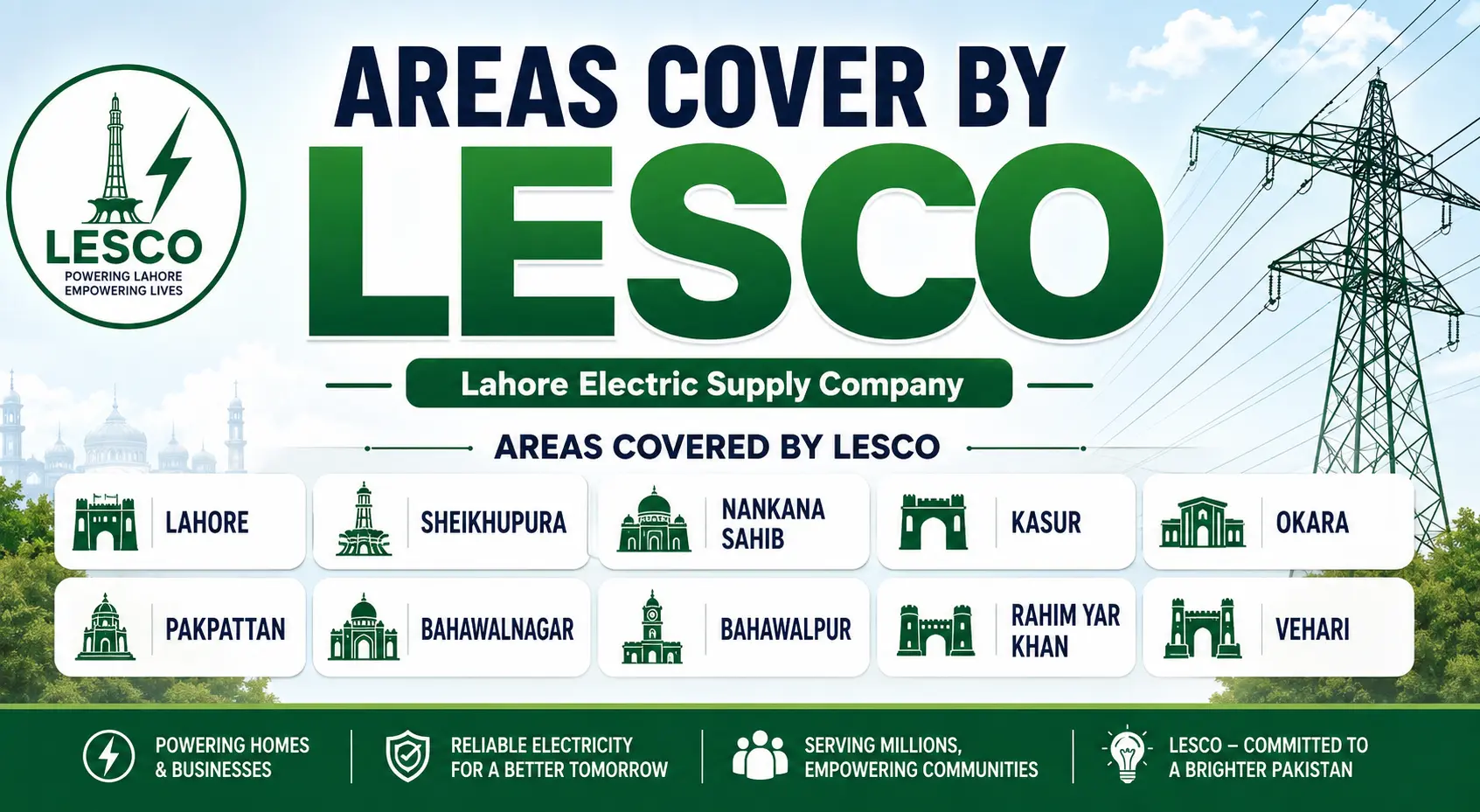
LESCO’s service areas include:
- Lahore – the provincial capital and Pakistan’s second-largest city
- Kasur – known for its historical significance and agricultural economy
- Sheikhupura – an important industrial and agricultural district
- Okara – a major agricultural region
- Nankana Sahib – the birthplace of Guru Nanak and an important cultural center
Consumers within these regions can use LESCO’s online bill services to access their electricity records conveniently and without any cost.
Why Check Your LESCO Bill Online?
Checking your LESCO bill online offers numerous advantages over traditional methods:
1. Instant Access
No more waiting for the postman or standing in queues. Your bill is available 24/7 with just a few clicks.
2. Completely Free
Checking your LESCO bill online is 100% free. Consumers do not need to register or pay any fee to view their billing details on the official portal. Any service charging money just to show a bill should be avoided.
3. Convenience
Access your bill from anywhere home, office, or even while traveling—using any device with an internet connection.
4. Duplicate Bill Generation
If you lose your original printed bill, you can instantly generate and download a duplicate copy online.
5. Payment History Tracking
Many online platforms allow you to track your payment history and verify whether a bill has already been paid.
6. Digital Record Keeping
Download and save PDF copies of your bills for future reference, making record-keeping simple and paperless.
How to Check LESCO Bill Online in 2026
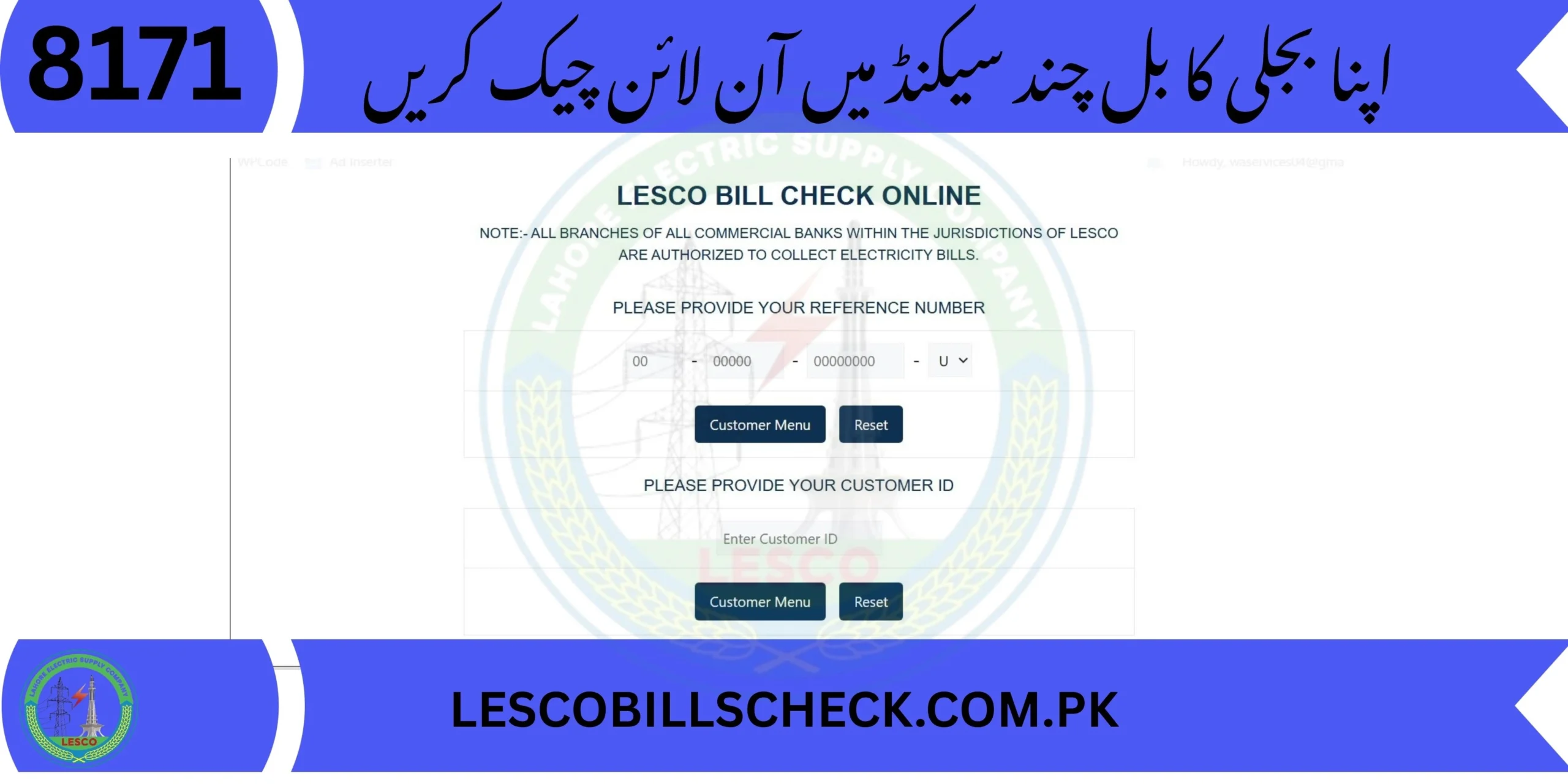
Checking your LESCO bill online is a straightforward process. You don’t need to create a complicated account or provide your CNIC. All you need is your Reference Number or Customer ID.
Method 1: Using Your 14-Digit Reference Number (Recommended)
The reference number is the most commonly used and reliable method for accessing your bill.
Step-by-Step Process:
Step 1: Locate Your Reference Number
Find an old physical LESCO bill. You will find a 14-digit reference number printed on it, usually near the top left or top right corner. It looks something like: 14 11264 1341480 U.
The reference number is:
- 14 digits long
- Unique for every connection
- Required for online bill retrieval
Step 2: Visit the Official Portal
Go to the official LESCO website or a trusted bill-checking portal. The official website is
Step 3: Enter Your Details
Type your 14-digit reference number into the search box. Make sure there are no extra spaces.
Step 4: Generate Your Bill
Click the “Submit” or “View Bill” button.
Step 5: View and Download
Your full bill will appear on the screen. You can click on “Print” to save it as a PDF or take a screenshot for your records.
Method 2: Using Customer ID
Some consumers can also access their bills using the Customer ID (usually a 7-digit number) printed on their electricity bill.
However, it’s important to note that LESCO primarily supports bill lookup through reference numbers. Customer ID availability is limited and not consistently supported online. If both are available, the reference number should be used for faster and more reliable access.
Method 3: Using Mobile Apps
For users who want immediate access without navigating multiple web pages, mobile billing apps have become a practical option. Several apps available on Google Play and the Apple App Store allow users to check their LESCO bills by simply entering their reference number.
Popular apps include:
- Udhaar Book – allows users to view electricity bills quickly once billing details are saved
- Electricity Bill Checker – supports all major electricity distribution companies in Pakistan
- Pak Electricity Bill Checker – simple interface for quick bill checking
Method 4: SMS Service
LESCO also offers an SMS text service for consumers who prefer not to use the internet. Customers can send an SMS with their reference number to 8118 to receive their bill via SMS.
What Information Is Available Online?
When you check your LESCO bill online, you can view the following information:
| Information | Details |
| Current bill amount | Total payable amount for the month |
| Due date | Last date for payment without penalty |
| Issue date | Date the bill was generated |
| Meter reading information | Current and previous meter readings |
| Units consumed | Total electricity consumption in kWh |
| Customer details | Name, address, and connection information |
| Bill status | Paid, unpaid, or overdue |
| Duplicate bill copy | Downloadable PDF version |
This comprehensive information helps consumers stay informed before making payments and allows them to verify the accuracy of their bills.
LESCO Bill Payment Methods 2026
After checking your bill, you can pay it through various digital and traditional channels.
Important Policy Change for 2026
LESCO has announced that electricity bills will no longer be accepted at post offices from April 1, 2026. The decision was made during the 309th meeting of LESCO’s Board of Directors.
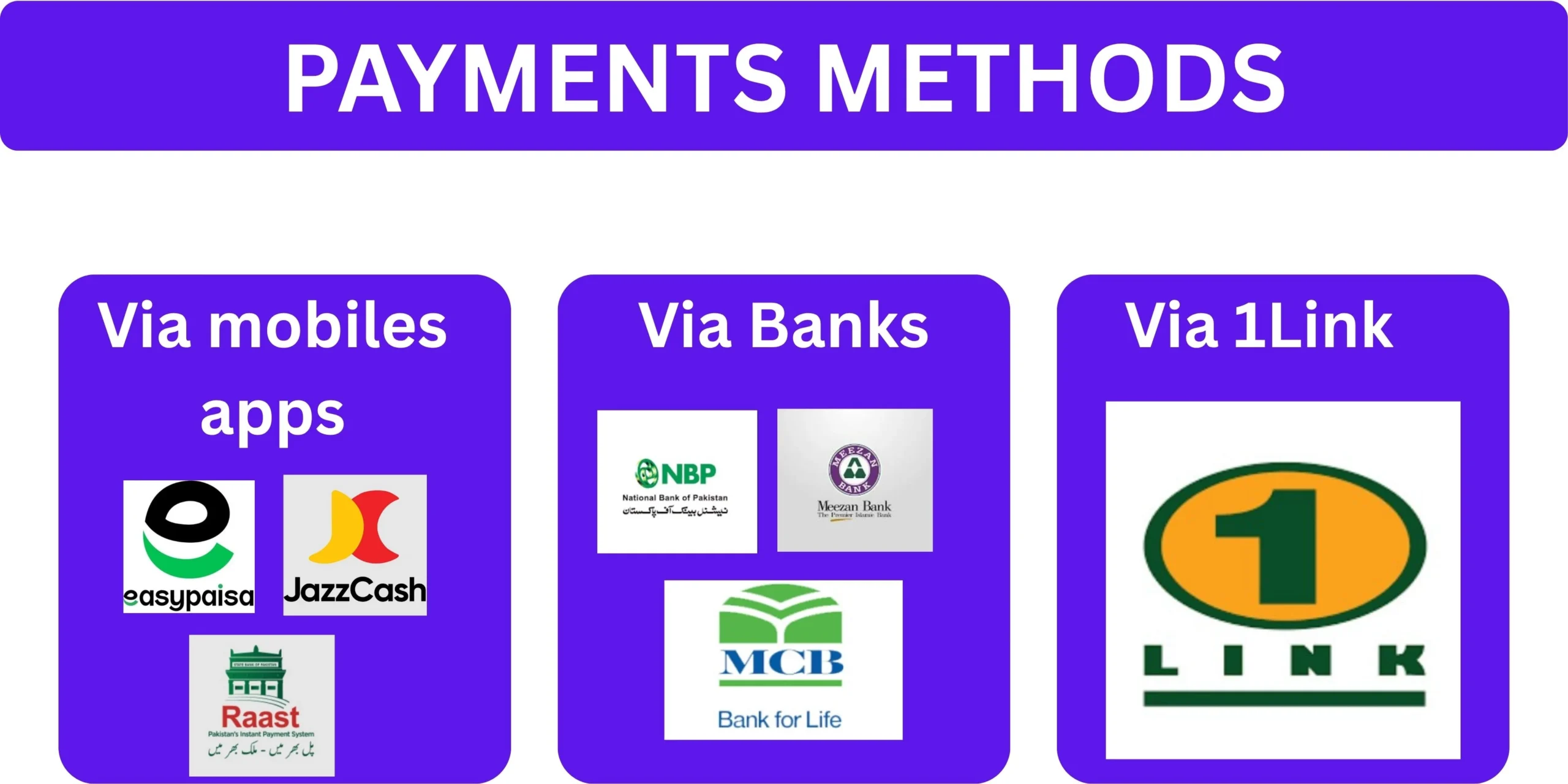
Consumers have been advised to make timely payments through alternative methods, including QR codes, commercial banks, and other authorised payment channels, to avoid delays or disruption in bill settlement.
Authorized Payment Methods
| Payment Method | Requirements | Confirmation Time |
| Mobile Wallets (EasyPaisa, JazzCash) | 14-digit reference number | Instant |
| Commercial Bank Apps (HBL, UBL, etc.) | Login + reference number | Instant |
| ATM / 1-Link | Debit card + reference number | Real-time |
| LESCO Customer Centers | Physical bill + cash/cheque | Immediate |
| QR Code Payments | Scan QR code on bill | Instant |
| Internet Banking | Login + reference number | Instant |
LESCO officials have stated that customers should now pay their bills through banks, mobile apps, QR codes, and other authorised payment channels. This step will help improve the billing system, reduce delays, and make the payment process faster and easier.
By encouraging the use of these alternatives, LESCO aims to provide a faster, safer, and more transparent payment experience for its customers.
Understanding Your 2026 LESCO Bill Components
When you check your bill online, you might notice various taxes and surcharges. It’s not just about the units you consumed. Here is what makes up your total payable amount:
1. Energy Charges
This is the cost of the actual electricity units (kWh) you used. The rate per unit depends on your consumption slab and consumer category.
2. Fuel Price Adjustment (FPA)
A variable charge that depends on the cost of fuel used to generate electricity in previous months. This fluctuates monthly based on global oil and gas prices.
3. Quarterly Tariff Adjustment (QTA)
Adjustments made every three months based on the power purchase price. Currently set at approximately Rs 0.35 per unit.
4. Taxes
These include:
- GST (General Sales Tax) – 18% on the total bill amount
- Electricity Duty – government-imposed duty on electricity consumption
- TV License Fee – usually Rs 35 for domestic consumers
5. Fixed Charges
Based on your sanctioned load rather than monthly electricity usage. From January 2026, fixed charges apply according to the connected load.
6. Financing Cost (FC) Surcharge
A surcharge of approximately 43 paisa per unit.
7. Late Payment Surcharge
An extra fee added if you pay after the due date.
Real Example of Bill Components
For 228 units consumed in April 2026, the total cost came to Rs 7,546.95, with additional charges including:
| Charge | Amount |
| Meter rent | Rs 7.5 |
| Fuel price adjustment | Rs 159.43 |
| F.C. surcharge | Rs 736.44 |
| Quarterly tariff adjustment | Rs 79.89 |
| Fixed charges | Rs 700 |
LESCO Peak Hours 2026 – Save Money by Timing Your Usage
One of the most important things to understand about your LESCO bill in 2026 is the Time of Use (ToU) billing system. Your bill is no longer just about how much electricity you use, but when you use it.
During peak hours, the price per unit is significantly higher. If you can avoid using heavy appliances during these hours, you can save a lot of money.
LESCO Peak Hours Timings 2026
| Season / Months | Peak Hours (Expensive) | Off-Peak Hours (Cheaper) |
| December to February | 5:00 PM – 9:00 PM | Remaining 20 hours |
| March to May | 6:00 PM – 10:00 PM | Remaining 20 hours |
| June to August | 7:00 PM – 11:00 PM | Remaining 20 hours |
| September to November | 6:00 PM – 10:00 PM | Remaining 20 hours |
Peak vs. Off-Peak Rates
| Rate Type | Approximate Cost per kWh |
| Peak Unit Rate | Rs 48.46 per kWh |
| Off-Peak Unit Rate | Rs 32.55 per kWh |
The difference between peak and off-peak rates is approximately Rs 16 per unit. Running your laundry or water pumps during off-peak hours can save you nearly Rs 16 per unit.
Who Is Affected by ToU Rates?
In 2026, the A1-Residential and A2-Commercial categories are the most affected by Time of Use (ToU) rates. If your sanctioned load is 5kW or higher, you likely have a digital meter that records peak and off-peak consumption separately.
Three-phase connections are mandatory ToU meters. The peak rate in 2026 is significantly higher to discourage the use of air conditioners and motors during the evening.
Tips to Save Money During Peak Hours
- Shift the heavy load: Avoid using electric irons, dishwashers, and water motors during the 4-hour peak window.
- Smart air conditioning: If using an AC during peak hours, set the thermostat to 26°C. Even better, cool the room before peak hours start and use a fan to maintain the temperature during peak time.
- Solar synchronization: For those with net metering, ensure your battery storage (if hybrid) handles the peak hour load so you don’t draw high-priced units from the grid.
- Monitor OBIS codes: Regularly check Code 04 (Peak) and Code 05 (Off-Peak) on your digital meter to track your daily progress.
Downloading Duplicate LESCO Bill
Lost your electricity bill? No problem. You can easily generate a duplicate copy online.
How to Download a Duplicate Bill
- Visit the official LESCO bill checking portal
- Enter your 14-digit reference number
- Click on the “Duplicate Bill” or “Download” option
- Your duplicate bill will appear and can be downloaded as a PDF
Benefits of a Duplicate Bill
- Access your latest bill instantly
- Download a PDF copy
- Print the bill anytime
- View due date and payable amount
- Keep a digital record for future reference
A duplicate bill is identical to the original and is accepted at banks, payment counters, and online payment platforms.
LESCO Bill Calculator – Estimate Your Bill
The LESCO bill calculator is an online tool that enables users to compute their electricity bills. This is useful for:
- Planning monthly budgets
- Understanding the impact of consumption on your bill
- Comparing different usage scenarios
How to Use the Bill Calculator
- Visit the LESCO bill calculator tool
- Enter the number of units consumed
- The calculator will display the estimated amount due
Please note that the estimated bill includes various taxes, so there may be a slight difference compared to your final bill.
LESCO Complaint Registration How to Get Help
If you face any issues with your electricity supply, billing, or meter, LESCO offers multiple channels for complaint registration.
LESCO Helpline
The primary helpline number for LESCO complaints is 118. This helpline remains fully operational for complaint registration and assistance.
New Helpline Service (2026)
In April 2026, LESCO launched a new helpline service to provide electricity consumers with quicker complaint registration and resolution. Through the helpline, consumers can register any electricity-related complaint without delay or difficulty.
Once a complaint is resolved, the relevant office uploads its status on the system portal. To verify whether a complaint has been addressed or is still pending, the system generates an automated robotic call to the concerned consumer. Consumers are requested to attend this call and provide accurate feedback about their complaint status.
Online Complaint Registration
LESCO offers online complaint registration through multiple platforms:
- Primary Portal
- Official Website
- LESCO LIGHT Mobile App: An Android-based customer facilitation portal that allows consumers to lodge and track complaints
Common Complaints and Solutions
| Complaint Type | Solution |
| Invalid reference number | Double-check all digits and ensure the number is entered correctly |
| Bill not showing | The latest bill may not yet be uploaded. Try again later |
| Incorrect details | Compare with a previous bill to confirm accuracy |
| Website loading issues | Refresh the page and try again after a few minutes |
LESCO New Connection – How to Apply
If you need a new electricity connection, LESCO has streamlined the application process through the centralized Electricity New Connection (ENC) System.
Step-by-Step Process for New Connection
| Step | Action |
| 1 | Visit the ENC system and fill out the online form |
| 2 | Enter details like connection type, NTN, district, name, CNIC, and phone number |
| 3 | Upload required documents (property papers, undertaking, CNIC copy, neighbor’s bill) |
| 4 | Submit the application |
| 5 | Print a copy of the application form |
| 6 | Attach all required documents with the printed form |
| 7 | Submit the complete file to the concerned LESCO office |
| 8 | LESCO verifies documents and issues a demand notice |
| 9 | Pay the demand notice at the mentioned bank |
| 10 | Submit payment proof to the office |
| 11 | After verification, LESCO installs your connection |
New Connection Fees (2026 Update)
LESCO has significantly increased new electricity connection charges. A new connection now costs Rs 21,300, a substantial jump from the previous cost of Rs 6,400. Out of this amount, Rs 17,700 is allocated to cover the cost of the electricity meter and associated cabling.
Smart Meter Policy
LESCO has stopped consumers from buying AMI single-phase smart meters from the open market. Under the new policy, customers must now get their meters directly from LESCO. The price of a single-phase AMI smart meter is set at Rs 11,666, with security charges added separately.
Net Metering and Solar Updates for 2026
For consumers with solar panels and net metering, several important changes have been implemented in 2026.
Reduced Export Rate
LESCO has reduced the export rate for net metering consumers by 66 paisas per unit. After the change, the export rate has decreased from Rs 25.98 to Rs 25.32 per unit. The new rates are effective from the January 2026 billing cycle.
Stricter Export Controls
LESCO has introduced stricter controls on the export of electricity beyond the approved distributed generation (DG) capacity. Export units above the approved capacity will not be allowed.
Mandatory Smart Meters
In 2026, LESCO introduced mandatory AMI bidirectional meters for all new net metering connections, replacing older bidirectional meters.
Net Billing Portal
Applications for net metering received after February 9, 2026, will be connected to the Net Billing Portal. Net billing regulations will apply to net metering capacity and load increases after this date.
LESCO Service Areas and Coverage
| District | Key Characteristics |
| Lahore | Provincial capital, largest consumer base |
| Kasur | Historical city, agricultural economy |
| Sheikhupura | Industrial and agricultural hub |
| Okara | Major agricultural region |
| Nankana Sahib | Cultural and historical significance |
LESCO supplies electricity to several districts across Punjab:
Consumers within these regions can use online bill services to access their electricity records.
Common Problems and Troubleshooting
Sometimes users may face temporary issues when retrieving their bill online.
Problem 1: Invalid Reference Number
Solution: Double-check all digits and ensure the number is entered correctly. Make sure there are no extra spaces.
Problem 2: Bill Not Showing
Solution: The latest bill may not yet be uploaded in the billing system. Try again later.
Problem 3: Incorrect Details
Solution: Compare the information with a previous bill to confirm accuracy.
Problem 4: Website Loading Issues
Solution: Refresh the page and try again after a few minutes. Most problems are temporary and resolve automatically.
Problem 5: Payment Not Reflected
Solution: If you have paid your bill but it still shows as unpaid, wait 24-48 hours for the system to update. Keep your payment receipt as proof.
Pro Tips for Reducing Your LESCO Bill
1. Understand Peak Hours
Avoid using heavy appliances during peak hours (evening hours) when rates are significantly higher.
2. Use Energy-Efficient Appliances
Replace old appliances with energy-efficient ones. Look for appliances with higher star ratings.
3. Regular Maintenance
Keep your appliances well-maintained. Dirty filters in ACs and refrigerators increase energy consumption.
4. Unplug Unused Devices
Many devices consume electricity even when turned off. Unplug them when not in use.
5. Use Natural Light
Make use of natural daylight instead of artificial lighting during the day.
6. Solar Panel Installation
Consider installing solar panels. With net metering, you can reduce your electricity bill significantly.
7. Monitor Your Consumption
Regularly check your meter readings to track your consumption patterns and identify any unusual increases.
Conclusion
The LESCO online bill check system in 2026 has made electricity bill management easier, faster, and more convenient than ever before. Whether you need to check your current bill, download a duplicate copy, understand your charges, or make a payment, everything can be done online from the comfort of your home.
By understanding the components of your bill, peak-hour rates, and available payment methods, you can take control of your electricity expenses and avoid unnecessary charges. Remember these key points:
- Always use your 14-digit reference number for the fastest and most reliable bill access
- Checking your bill online is completely free
- Pay your bill before the due date to avoid late payment surcharges
- Avoid heavy appliance usage during peak hours to save money
- Use authorized payment channels as post office payments are no longer accepted
- Register complaints through the helpline or online portal if you face any issues
Frequently Asked Questions (FAQs)
1. How can I check my LESCO bill online?
You can check your LESCO bill online by visiting the official LESCO website or using a trusted bill-checking portal. Enter your 14-digit reference number, click submit, and your bill will appear instantly.
2. What is the reference number for LESCO bill?
The reference number is a unique 14-digit number printed on every LESCO electricity bill. It identifies your specific connection and is required for online bill retrieval.
3. Where can I find my LESCO reference number?
You can find your reference number on any previous LESCO bill, usually near the top left or top right corner.
4. Is checking LESCO bill online free?
Yes, checking your LESCO bill online is completely free of cost. You do not need to register or pay any fee to view your billing details.
5. Can I download a duplicate LESCO bill online?
Yes, you can easily generate and download a duplicate copy of your LESCO bill online using your reference number.
6. What are LESCO peak hours in 2026?
LESCO peak hours vary by season: December-February (5-9 PM), March-May (6-10 PM), June-August (7-11 PM), and September-November (6-10 PM).
7. How can I pay my LESCO bill?
You can pay your LESCO bill through mobile wallets (EasyPaisa, JazzCash), commercial bank apps, ATMs, LESCO customer centers, or QR code payments.
8. Can I pay my LESCO bill at the post office?
No, LESCO has discontinued bill payments at post offices effective from April 1, 2026.
9. What is the LESCO helpline number?
The LESCO helpline number is 118 for complaint registration and assistance.
10. How do I register a complaint with LESCO?
You can register a complaint through the LESCO helpline (118), the online portal or the LESCO LIGHT mobile app.
11. What is the customer ID for LESCO bill?
The customer ID is a 7-digit number printed on your LESCO bill. However, LESCO primarily supports bill lookup through reference numbers.
12. How can I apply for a new LESCO connection?
You can apply for a new connection through the Electricity New Connection (ENC) system. The process involves filling an online form, submitting documents, and paying the connection fee.
13. What is the cost of a new LESCO connection?
The new connection fee is Rs 21,300 as of 2026, which includes the cost of the meter and cabling.
14. What is the LESCO bill calculator?
The LESCO bill calculator is an online tool that estimates your electricity bill based on the number of units consumed.
15. What are the main components of my LESCO bill?
Your LESCO bill includes energy charges, fuel price adjustment (FPA), quarterly tariff adjustment (QTA), taxes (GST, electricity duty), fixed charges, and late payment surcharges.
16. What is the net metering export rate for 2026?
The net metering export rate for 2026 is Rs 25.32 per unit, reduced from Rs 25.98.
17. Can I check my LESCO bill through SMS?
Yes, you can send an SMS with your reference number to 8118 to receive your bill via SMS.
18. What should I do if my bill is not showing online?
If your bill is not showing, wait a few days as the latest bill may not yet be uploaded. If the problem persists, contact LESCO helpline.
19. What is the difference between peak and off-peak rates?
Peak rates are approximately Rs 48.46 per kWh, while off-peak rates are approximately Rs 32.55 per kWh—a difference of about Rs 16 per unit.
20. How can I reduce my LESCO bill?
You can reduce your bill by avoiding heavy appliance usage during peak hours, using energy-efficient appliances, unplugging unused devices, and considering solar panel installation.
21. What is the TV license fee on my LESCO bill?
The TV license fee is usually Rs 35 for domestic consumers and is included in your electricity bill.
22. What is FPA on my LESCO bill?
FPA stands for Fuel Price Adjustment—a variable charge that depends on the cost of fuel used to generate electricity in previous months.
23. What is QTA on my LESCO bill?
QTA stands for Quarterly Tariff Adjustment—adjustments made every three months based on the power purchase price.
24. Can I check my previous LESCO bills online?
Yes, many online platforms and apps allow you to check your bill history for up to one year.
25. What areas does LESCO cover?
LESCO covers Lahore, Kasur, Sheikhupura, Okara, and Nankana Sahib districts.
“Stay informed, stay in control, and make the most of LESCO’s digital services in 2026.”
Disclaimer: This guide is for informational purposes only. Tariffs, rates, and policies are subject to change by NEPRA and LESCO. Always refer to the official LESCO website the most current information.
For more information Please Click Here.
Recent Posts:
- LESCO Online Bill Check 2026 And download Duplicate bill
- LESCO Online Bill Complete Guide to Check, Download and Pay Your Electricity Bill Online (2026)
- LESCO Duplicate Bill Check & Download LESCO Bill Online (2026 Guide)
- FESCO Online Bill Check 2026 Check, Download & Print Duplicate Bill Instantly

- LESCO Online Bill Check by Customer ID 2026 Complete Guide